Local AI coding on your PC. Your work stays under your control.
A full IDE with ghost-text autocomplete, inline diffs, chat grounded in your code and documents, and agents that ask before they touch a file — running on your machine via local models. No token bill.
$99/year after trial · no account · Ollama required (free, local)
AI coding help without sending your work to a cloud model.
That flinch is the product. CodeScope runs autocomplete, diffs, repo-aware chat, and agents on your machine through Ollama. Its AI context and retrieval path stay local: for client work, employer repos, and desks where cloud-model processing is not permitted.
Client IP stays yours
Agencies and consultants can't push client repos to a third-party cloud. Now you don't have to choose between AI help and the contract.
Desks with no egress
Regulated, air-gapped, or locked-down networks. CodeScope's AI model and retrieval services run on localhost. It fits sealed desks; we make no compliance promises for you.
One honest bill
A simple $99/year personal license. No token meter. Team and organization licensing is quoted separately.
Real local sessions. Application egress: 0.
Every answer below was generated on the same laptop as the work. The green pill shows that CodeScope's application request counter recorded no off-box request during the session.

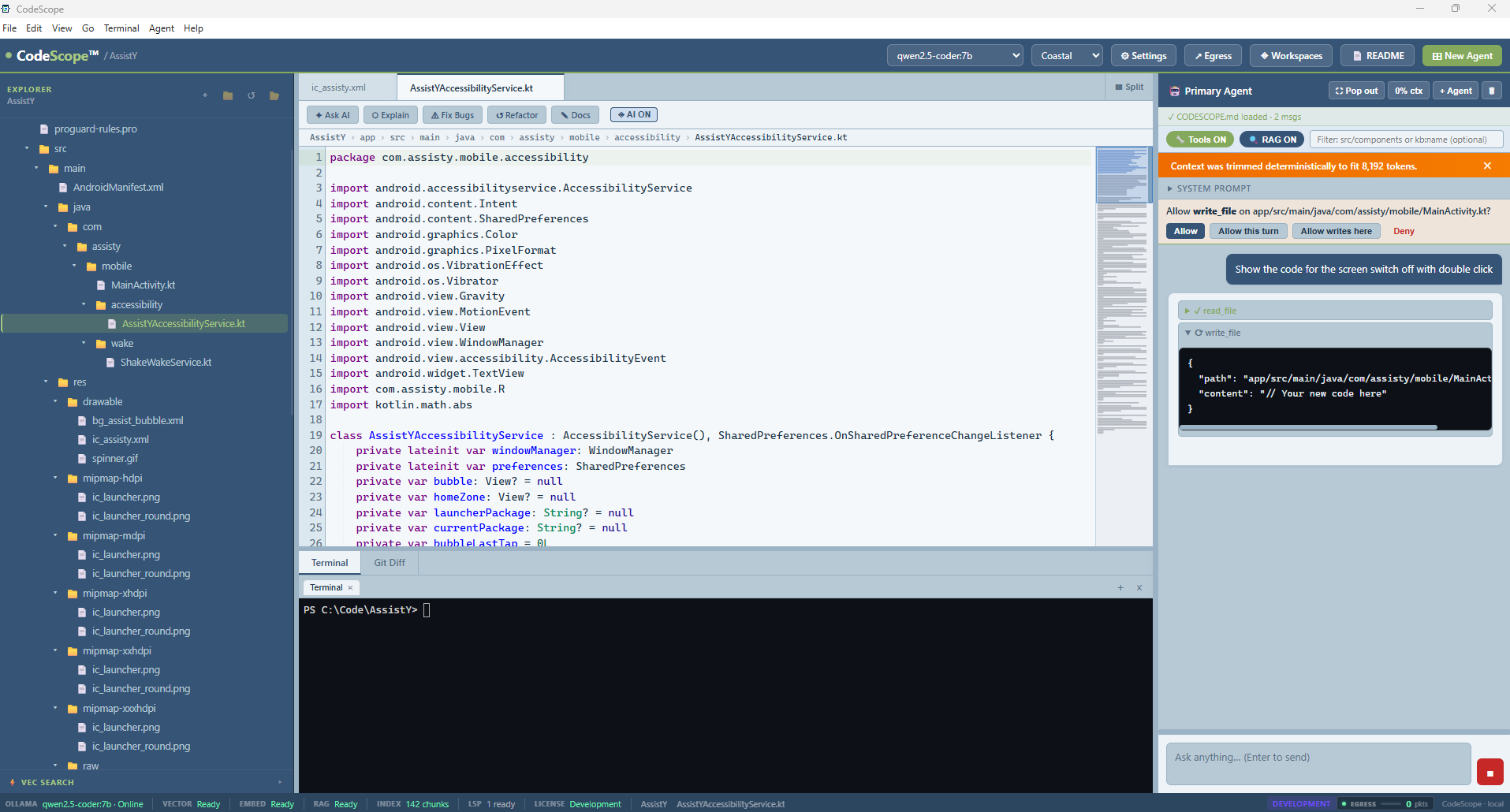
One window, whole toolkit. Editor, terminal, git, and an agent panel that asks permission before it writes or runs anything — with one-click undo. The status bar shows what's running locally: model, index, language server.
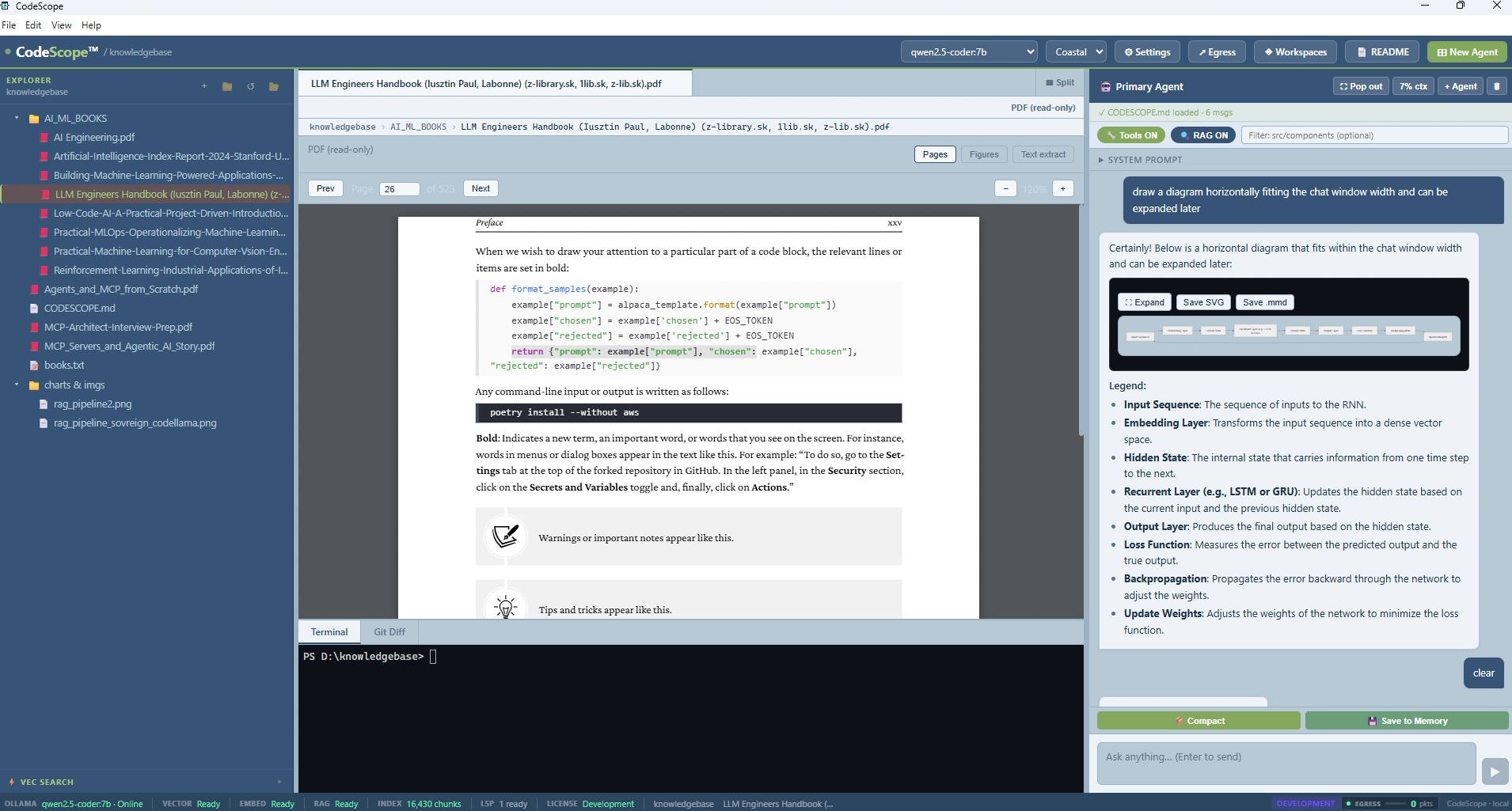
Your manuals become knowledge. A 323-page ML handbook, indexed on this machine (16,430 chunks). The answer cites the book and renders the diagram — nothing was uploaded to answer it.
Answers grounded in this repo. A Kotlin/Android project with a 222-chunk local index. Ask "where does X happen?" and get file and line — while the egress meter stays at 0.
Three steps. About ten minutes.
Two installs and a folder. This is the whole thing.
Install CodeScope
One Windows Setup EXE — Python is already inside it. No account or card. The full 30-day evaluation starts on first launch.
Install Ollama
Free and local — it lives in your system tray, like a printer driver. One-time install from ollama.com/download.
Open a folder
CodeScope offers to pull two small models (llama3.2:3b + nomic-embed-text), indexes your repo, and you're asking questions with answers grounded in your code. Start small — switch to a bigger model when you want more quality.
The features you'd miss, without a cloud-model upload.
Ghost-text autocomplete
Fill-in-the-middle completions that see the code before and after your cursor. Tab accepts, Esc dismisses — served by your local model.
Inline AI diff
Select code, describe the change, review the diff, accept or reject. Nothing edits your file silently — ever.
Chat that knows your repo
Answers are retrieved from your actual files and cited with path and line — including your PDF/DOCX manuals. Egress stays 0.
Agents that ask permission
Agents can read, search, edit, and run commands — but writes and terminal wait for your Allow, stay sandboxed to the workspace, and undo in one click.
Talk to your documents
Turn specifications, manuals, research papers, and project documents into a private, searchable knowledge base. Ask naturally, receive grounded answers with citations, and keep every page on your machine.
A real IDE underneath
Integrated terminal, git staging and commits, go-to-definition via local language servers, quick open, find-in-files, split panes.
Documentation that draws itself
Turn architecture discussions into rendered diagrams and flowcharts inside chat. Save Mermaid or SVG for READMEs, design notes, onboarding guides, and living technical documentation.
Put local AI to productive work
Use capable local coding models for boilerplate, tests, refactors, explanations, and documentation — without paying for every prompt or sending proprietary work to an online model.
Tuned to your machine
CodeScope profiles RAM, CPU, GPU/VRAM, and installed models locally, then chooses a safe model and effective context so more of your hardware goes into useful work.
Three local processes. One request counter you can inspect.
Great tools, different physics.
Cursor and Trae are capable cloud-first tools. When their AI features are used, prompts and selected code context are processed on remote model infrastructure; CodeScope's inference runs on your machine. Privacy and retention controls differ by product and plan.
| What matters |
 CodeScope CodeScope |
Cursor | Trae (ByteDance) |
|---|---|---|---|
| First 10 minutes | ~installer + Ollama — one honest extra step | ✓download and type | ✓download and type |
| AI inference location | Localmodel runs on your machine | Remoteselected prompts and context are processed off-device | Remoteselected prompts and context are processed off-device |
| Works offline / air-gapped | ✓built for sealed desks | ✗ | ✗ |
| Account & API keys | ✓none, ever | ✗account required | ✗account required |
| The bill | $99/yearpersonal license, after a 30-day evaluation | ~$20/mo≈ $240/year* | tierssubscription plans |
| Pick your own model | ✓any Ollama model — even offline pulls | ~curated list | ~curated list |
*Cursor Individual pricing verified 3 September 2026. Cursor offers Privacy Mode and zero-data-retention arrangements for many model routes; this table compares processing location, not training or retention. See Cursor pricing and Cursor privacy documentation. Competitor features and prices change; "~" means partial or configuration-dependent.
One offer. No plan matrix.
no account · no license server
no phone-home to validate
- Everything during trial — autocomplete, inline diff, repo chat, agents, terminal. No crippled mode.
- Offline license key. No account, no subscription portal, no phone-home to validate.
- When it lapses, the IDE locks — your code never does. Files stay yours; nothing is held hostage.
Straight answers.
Do I need the internet?
Only once — to install Ollama and pull the models (or copy them over on USB). After that, CodeScope works with the network cable pulled. Updates are opt-in and off by default.
Does any code or document content go to a cloud LLM?
No cloud LLM is required. Chat runs on your machine through Ollama or another localhost OpenAI-compatible server; embeddings and RAG indexing run through local Ollama. The renderer blocks non-local requests. The status-bar egress meter is an application request counter for renderer and opt-in updater activity, not a system-wide packet capture.
Do I need to install Python?
Not on Windows. The installer carries its own private Python runtime for the search index. You install CodeScope and Ollama — that's the whole list.
How is this different from Cursor or Trae?
They are easier in the first ten minutes. When their AI features are used, selected prompts and code context are processed on remote model infrastructure. CodeScope runs the model on your PC, works offline after setup, and costs $99/year for a personal license with no token meter. Cursor also offers Privacy Mode and data-retention controls; CodeScope's distinction is local processing.
What if my GPU is small?
Start with llama3.2:3b — it's a ~2 GB download and runs on modest hardware. When you want sharper answers, pull a bigger model; switching is one dropdown and the previous model unloads so VRAM doesn't stack.
Air-gapped machine — really?
Really. Use the same EXE from a USB stick, copy Ollama and model blobs over, and leave updates off. No account or online license validation is required. The application request counter should remain at 0 pkts; use your operating-system or network controls when you need independent verification.
Your code. Your machine. Your rules.
Download the EXE, add Ollama, and open a folder. The evaluation starts on first launch and ends after 30 days. There is no account to cancel, and your files remain yours.
30-day full trial · no card · Windows 10/11 · v1.1.0 · then $99/year
By installing, you accept the CodeScope evaluation and license terms included with the installer.